Identify the exact build.
Use versions, tags and digests to distinguish the artefact being assessed from another build of the same software. Keep the findings connected to the version that matters.
Bring built artefacts into product context. Review composition, vulnerabilities and available trust evidence alongside the source and deployment relationships behind each version.
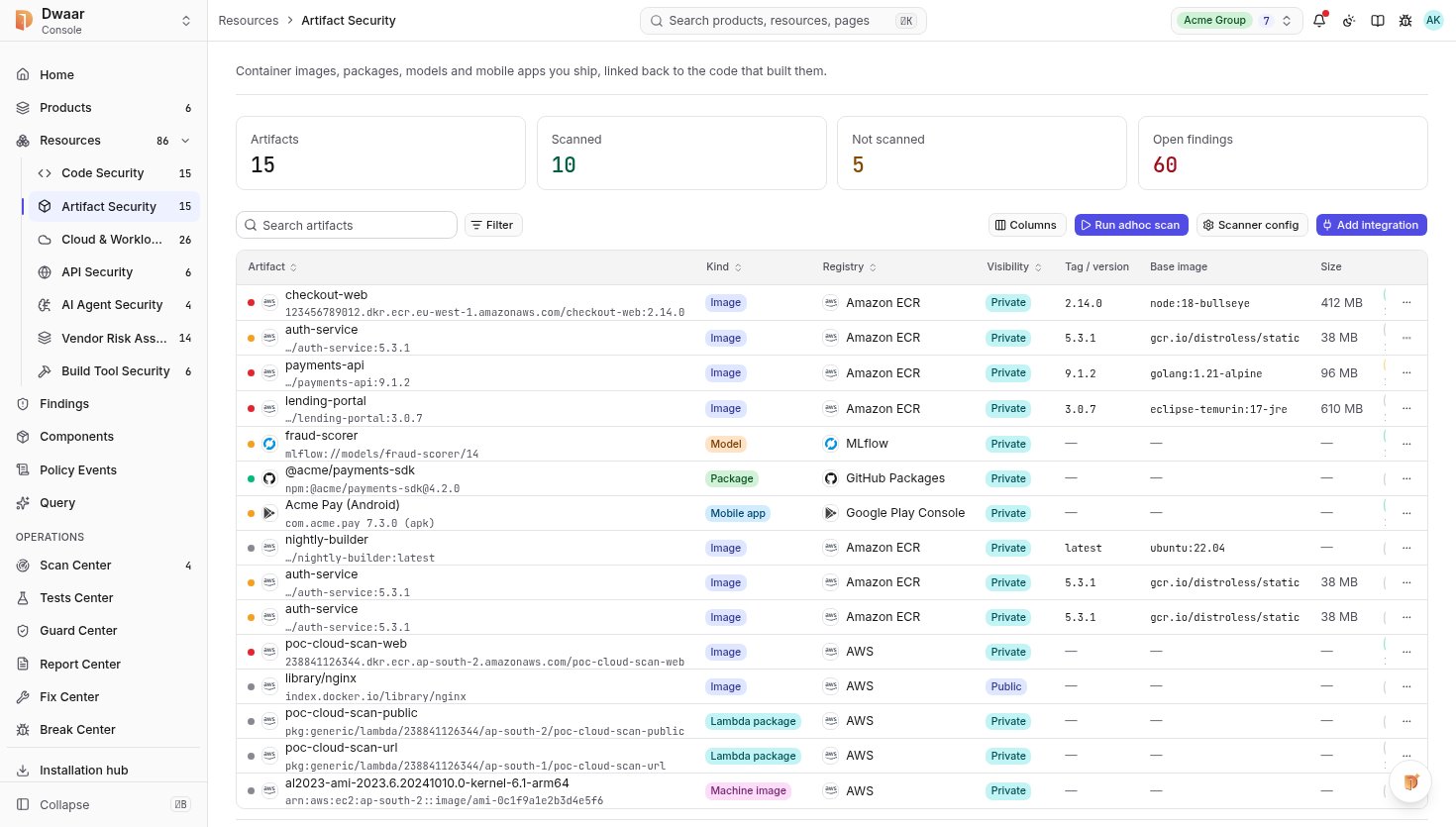
01What is in this build?
02Where did it come from?
03Where is this version used?
Bring the resource, finding and product relationship into one useful conversation.
Use versions, tags and digests to distinguish the artefact being assessed from another build of the same software. Keep the findings connected to the version that matters.
Bring component inventories, vulnerability findings and available signature or provenance checks into the investigation. Understand what the evidence establishes and what remains open.
Follow established relationships back to source and forward to workloads and products. Make a shared component issue understandable in the context of what has shipped.
Connect a source revision to a build, and that build to the workload using it. Keep missing relationships visible as you establish the product picture.
Explore the platform ↗Available checks depend on the resource, integration and agreed assessment scope.

Review components and versions across your connected resources.
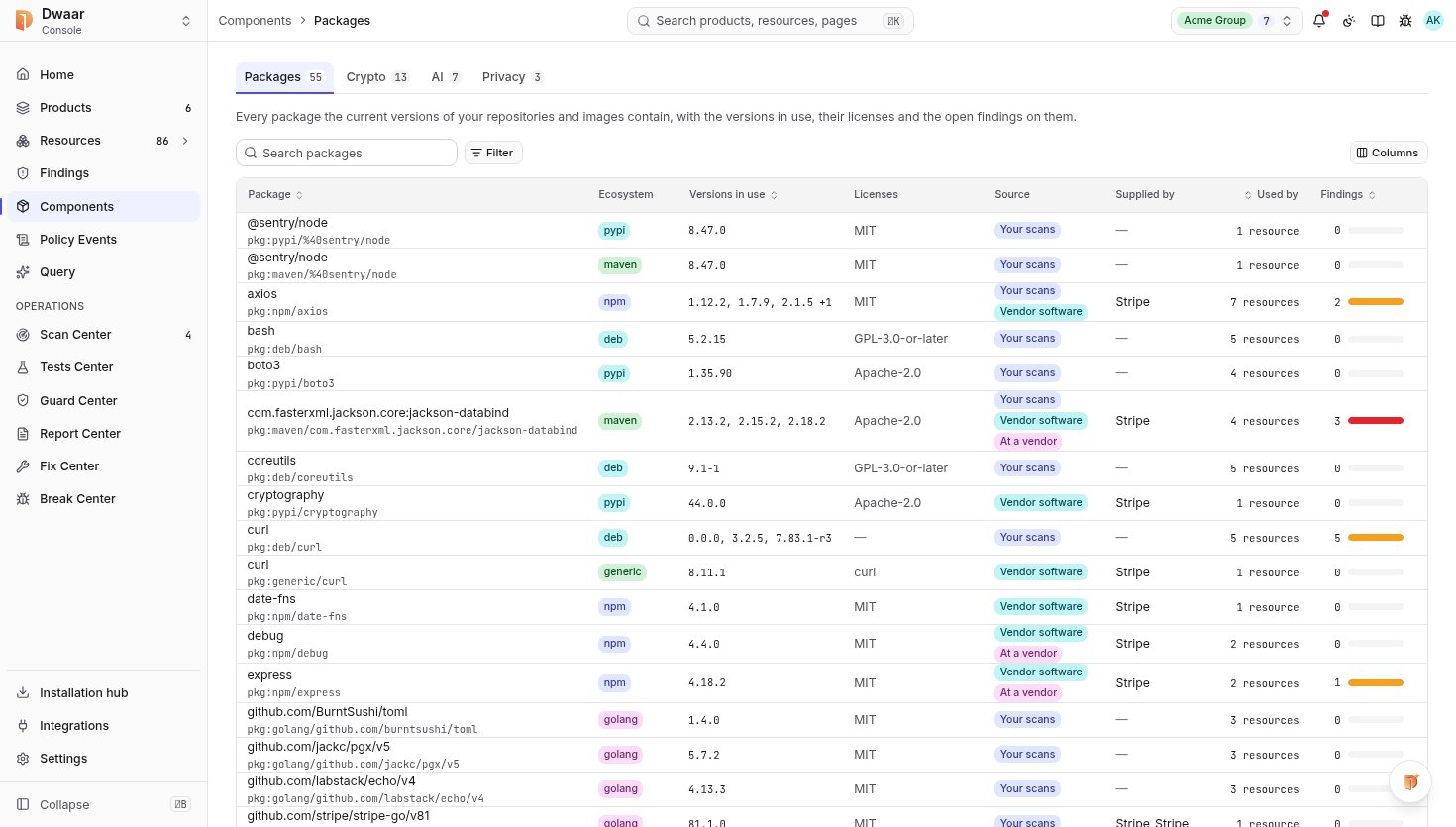
A build can contain operating-system packages, bundled dependencies and configuration that are not fully represented in source findings. The exact built version needs its own assessment context.
An SBOM describes composition. It helps investigate affected components, but does not establish the absence of vulnerabilities or replace provenance and configuration checks.
The missing relationship stays visible. The team can assess the artefact while keeping the limits of its product and deployment context explicit.
Start with one product. Connect the context. Give your team a clear next action.