Map the environment to the product.
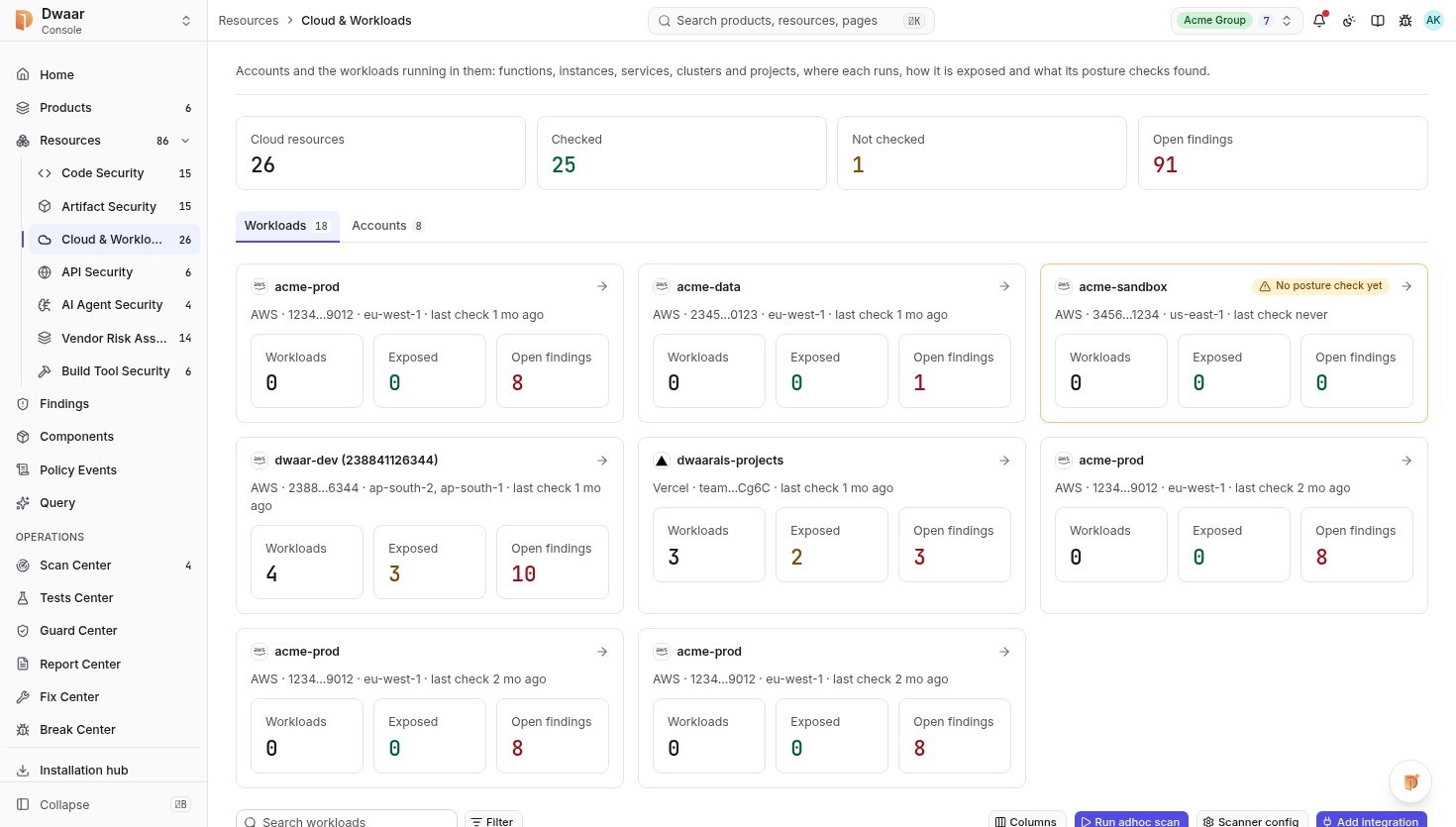
Bring supported accounts, clusters and workloads into a resource inventory. Keep ownership, product relationships and assessment coverage together.
Connect cloud resources and infrastructure configuration to your products. Understand permissions, exposure and coverage alongside the software running in those environments.
01What infrastructure supports this product?
02What is exposed or misconfigured?
03Which resources need assessment?
Bring the resource, finding and product relationship into one useful conversation.
Bring supported accounts, clusters and workloads into a resource inventory. Keep ownership, product relationships and assessment coverage together.
Review the affected resource and the evidence behind a finding, including relevant exposure context. Give platform and security teams a shared starting point.
Where the relationship is known, identify the artefact behind a workload and the products affected by a shared issue. Keep unconnected resources visible.
Infrastructure context helps answer whether affected software is running, where it is deployed and which product depends on it.
Explore the platform ↗Available checks depend on the resource, integration and agreed assessment scope.

Review the product context alongside findings and coverage. Click the capture to inspect it in full.
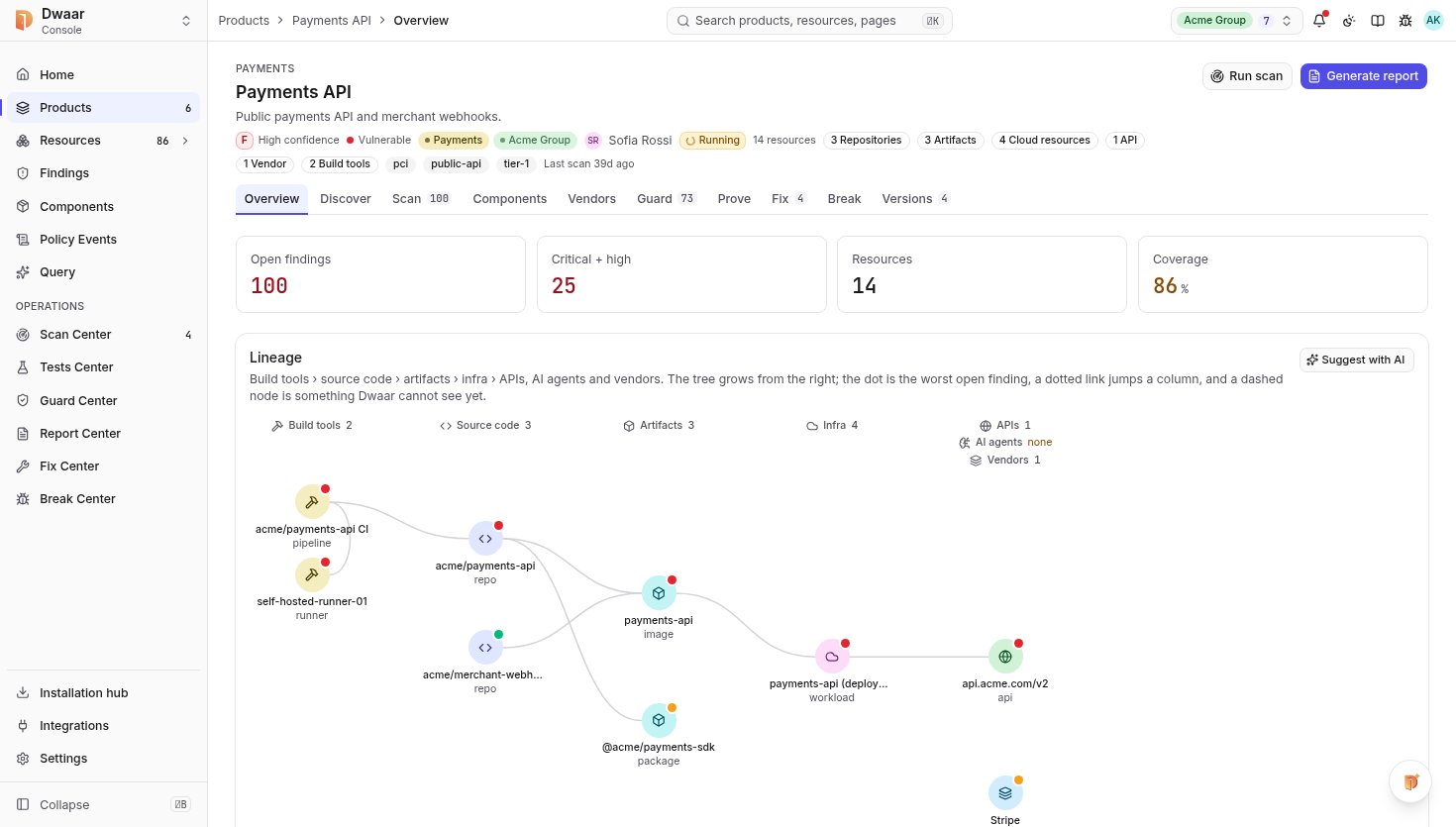
Coverage depends on the provider, resource type and configured integration. We agree the supported scope for your environment before assessment.
Discovery and assessment are separate. Resource views distinguish the inventory from completed checks and keep untested resources visible.
A resource can be linked to multiple products. Established relationships help the responsible owner understand the products affected by its findings.
Start with one product. Connect the context. Give your team a clear next action.